


You’re ready to invest in a professional website for your Calgary business, but here’s what stops most people: the sheer overwhelm of decisions. Which platform should you choose? What’s a reasonable budget? Do you need custom design or will a template work? How do you even evaluate designers when everyone’s portfolio looks impressive?
Here’s the reality: your website isn’t just a digital business card anymore. It’s your hardest-working salesperson, your 24/7 customer service representative, and often the first impression that determines whether prospects trust you enough to make contact. Getting this right means understanding not just what looks good, but what actually converts visitors into customers.
This guide walks you through every critical decision facing Calgary businesses in 2026. You’ll understand what drives costs, which platform matches your specific business model, what design trends actually improve results versus what just looks trendy, and how to choose the right partner without getting burned by empty promises or hidden costs.
Whether you’re launching your first website, finally replacing that outdated 2015 design, or scaling an e-commerce operation, you’ll find the frameworks and insights you need to make confident decisions that deliver measurable business results.
Why Your Calgary Business Needs a Strategic Website in 2026
Your competitors are investing in their digital presence right now. Calgary’s business landscape has shifted dramatically, customers research online before ever picking up the phone, and your website quality directly impacts whether they perceive you as a credible option or an amateur operation they should avoid.
The stakes are higher than most business owners realize. A poorly designed website doesn’t just fail to generate leads, it actively repels potential customers who make split-second judgments about your professionalism based on loading speed, mobile experience, and visual appeal. Meanwhile, a strategically designed website works continuously to build trust, answer objections, and guide visitors toward taking action.
What makes 2026 different from previous years? Search engines now prioritize user experience metrics like page speed and mobile responsiveness as ranking factors. Your competitors are implementing AI-powered personalization and sophisticated conversion optimization. Consumer expectations have evolved what impressed visitors three years ago now looks dated and undermines credibility.
Calgary businesses operating without strategic websites are fighting with one hand tied behind their backs. You’re invisible in local search results. You’re losing opportunities to competitors with professional online presence. You’re forcing potential customers to work harder to understand what you offer and why they should choose you. Every day without an effective website represents lost revenue and market share you’ll never recover.
The good news? Understanding what makes websites actually work for Calgary businesses not just look impressive in screenshots gives you a clear competitive advantage that compounds over time.
The Website Design Process: What to Expect from Start to Launch
Let’s address the biggest source of frustration in website projects: mismatched expectations about how the process actually works. You might think designers can start building immediately, but rushing into development without proper planning guarantees expensive revisions and disappointing results.
Five Key Phases of Website Development
Discovery and Strategy (1-2 weeks) establishes the foundation for everything that follows. Your designer should interview stakeholders to understand business goals, research competitors to identify differentiation opportunities, analyze your target audience’s needs and behaviors, define the site structure and navigation flow, and document feature requirements with clear priorities. Skipping this phase is like building a house without blueprints. You’ll get something, but probably not what you actually need.
Design and Prototyping (2-4 weeks) transforms strategy into visual concepts. Designers create mockups showing your homepage and key interior pages, present options for your feedback, incorporate revisions through typically 2-3 rounds, and finalize all page designs before any code gets written. This phase takes longer for custom designs than template-based approaches, but seeing everything visually before development prevents costly changes later.
Development and Integration (3-6 weeks) brings approved designs to life. Developers write the code that makes everything functional, implement interactive features and forms, integrate databases and third-party services, ensure cross-browser compatibility, and optimize performance for fast loading speeds. Complex functionality like custom booking systems, membership portals, or advanced e-commerce features significantly extends this phase.
Testing and Quality Assurance (1-2 weeks) catches problems before customers encounter them. Your team should test all forms and interactive elements, verify mobile responsiveness across devices, validate SEO implementation and technical setup, check cross-browser compatibility, and ensure accessibility standards are met. Rushing through testing to launch faster inevitably means discovering embarrassing bugs after going live.
Launch and Stabilization (1-2 weeks) transitions from development to production environment. The technical launch itself takes hours, but monitoring for issues, making minor adjustments based on real user behavior, and providing training for your team requires dedicated attention. Good designers include immediate post-launch support to address any unexpected issues quickly.
Total realistic timelines: simple template sites take 4-6 weeks, custom business sites need 8-12 weeks, e-commerce platforms require 10-16 weeks, and enterprise solutions span 4-9 months. Anyone promising significantly faster delivery is either cutting corners or hasn’t accurately scoped your requirements.
What Should You Prepare Before Starting Your Website Project?
Your preparation directly impacts project success and timeline. Coming to kickoff meetings with clear answers and organized assets means faster progress and better results.
Start by defining specific, measurable business goals. “Get more customers” is too vague. “Generate 50 qualified leads monthly” or “Achieve $25,000 in online sales by Q3” gives your designer concrete targets that inform every decision about features, content, and user experience design.
Know your target audience beyond basic demographics. What problems keep them up at night? What objections prevent them from buying? What questions do they repeatedly ask? Where do they research before making decisions? This insight shapes messaging, navigation structure, and content priorities.
Gather your content assets before development starts. This includes your logo and brand guidelines, professional product or service photography, existing copy you want to preserve or adapt, customer testimonials and case studies, technical specifications or detailed service descriptions, and any legal content like terms and privacy policies. Waiting to compile content after development begins causes expensive delays.
Document your technical requirements clearly. What tools and systems must integrate with your website? Do you need specific payment gateways? Are there compliance requirements for your industry? Does your team need certain administrative capabilities? Discovering technical constraints mid-project often requires architectural changes that double development time.
Establish your decision-making process upfront. Who provides feedback at each phase? Who has final approval authority? How quickly can your team review deliverables and provide direction? Slow internal feedback loops cause more project delays than any other factor. Commit to reasonable response times before work begins.
Website Design Costs in Calgary: Investment Guide for 2026
Understanding what drives website costs helps you budget realistically and evaluate proposals intelligently. The range is massive from $2,000 to $100,000+ because “website” encompasses everything from simple template customizations to complex custom applications.
Cost Breakdown by Business Size
| Business Type | Investment Range | What’s Included | Timeline |
| Small Business / Startup | $2,500 – $8,000 | 5-10 pages, template-based design, mobile responsive, basic SEO, contact forms, CMS training | 4-6 weeks |
| Growing Business / E-commerce | $8,000 – $25,000 | Custom design, advanced features, professional copywriting, comprehensive SEO, CRM integration, payment systems | 8-16 weeks |
| Enterprise / Custom Platform | $25,000 – $100,000+ | Full custom development, complex databases, API integrations, extensive testing, enterprise security, ongoing support agreements | 4-9 months |
These ranges reflect Calgary market rates in 2026, which remain roughly 10-20% lower than Toronto or Vancouver while significantly higher than smaller markets. The specific number within each range depends on factors we’ll explore next.
What Influences Your Final Investment?
Project complexity is the primary cost driver. Every feature you add booking systems, member logins, payment processing, custom calculators, third-party integrations multiplies development hours. A simple contact form takes two hours to implement and test. A custom booking system with availability calendars, automated confirmations, payment processing, and cancellation management might require 40 hours of development work.
Design customization level significantly impacts budgets. Template-based designs cost less because foundational structure already exists; you’re paying to customize colors, fonts, layouts, and add your specific content. Custom designs built from scratch require designers to create every element specifically for your brand, which multiplies both design time and revision rounds.
Content preparation affects pricing more than most businesses anticipate. If you provide polished copy, professional images, and organized content ready for implementation, you’ll save thousands of dollars. If your designer needs to write all copy, source or create images, and organize your information architecture from scratch, expect substantial additional charges that can double your initial quote.
Functionality requirements separate simple projects from complex ones. Static informational sites displaying content cost substantially less than dynamic sites requiring databases, user authentication, or real-time data processing. Want visitors to create accounts, save favorites, receive personalized recommendations, and access gated content? That’s custom development requiring both front-end interfaces and sophisticated back-end architecture.
Platform choice influences total investment. WordPress and Shopify projects using existing themes and plugins cost less than fully custom development. However, complex requirements often exceed what pre-built solutions handle effectively, necessitating custom work that increases costs regardless of starting platform.
For detailed exploration of specific pricing models, timeline factors, and hidden costs that catch businesses off guard, see our comprehensive resource: Calgary Web Design Cost: Complete Pricing & Timeline Guide.
Choosing Your Platform: WordPress, Shopify, or Custom Solutions
Your platform choice impacts everything from development costs, ongoing maintenance requirements, scalability limitations, and how easily your team manages day-to-day updates. There’s no universally “best” platform, only the right choice for your specific business model and technical requirements.
WordPress: Best for Flexibility and Content
WordPress powers over 40% of all websites globally because it offers unmatched flexibility for content-driven sites. The platform excels when your primary needs involve publishing regular content, displaying information in diverse formats, or requiring extensive customization through thousands of available plugins.
WordPress makes sense for service-based businesses showcasing expertise through content, professional firms like lawyers or consultants requiring information architecture, businesses planning extensive blogging or resource libraries, organizations needing membership areas or restricted content, and companies requiring complex functionality through plugin combinations.
The platform’s greatest strength is its flexibility and complexity. With thousands of themes and plugins available, you face decision paralysis. Poor choices lead to conflicts, security vulnerabilities, and performance issues. You need experienced developers who understand WordPress architecture, not just designers who install themes and plugins randomly.
Maintenance requirements for WordPress sites are higher than closed platforms. The core software, themes, and plugins all require regular updates to maintain security and functionality. Ignoring updates creates vulnerabilities hackers actively exploit. Budget for ongoing maintenance or accept the learning curve of managing updates yourself.
Shopify: Built for E-commerce
Shopify eliminates the technical complexity of building and managing online stores. The platform handles product catalogs, inventory management, payment processing, shipping calculations, order management, and customer accounts through proven, secure infrastructure that processes billions in transactions annually.
Choose Shopify when e-commerce is your primary business model, you want minimal technical maintenance responsibilities, you need reliable uptime and security without managing servers, you value speed-to-market over ultimate customization, or you’re selling physical products with straightforward fulfillment.
Shopify’s limitations become apparent for unique business models. The platform works brilliantly for standard retail operations but struggles with complex B2B scenarios, custom pricing logic, or business models that don’t fit typical product catalog structures. Extensive customization requires Shopify-specific development skills that limit your designer options.
Monthly costs for Shopify extend beyond design investment. Basic plans start at $39 monthly, but transaction fees, app subscriptions for advanced features, and payment processing fees add up quickly. Calculate total monthly operational costs, not just initial design investment, when evaluating platform viability.
Custom Development: When Standard Platforms Aren’t Enough
Custom development builds exactly what your business needs without platform constraints. You’re not adapting your processes to fit platform limitations the technology adapts to your requirements.
Custom solutions make sense when your business model doesn’t fit standard platforms, you require specific functionality that doesn’t exist in plugins or apps, you need ultimate control over user experience and data architecture, scalability demands exceed what platforms efficiently handle, or security and compliance requirements necessitate custom implementations.
The investment for custom development starts around $25,000 and scales based on complexity. You’re paying for architecture decisions, custom coding, extensive testing, and often ongoing development partnerships rather than one-time projects. This approach suits businesses where their website is a core competitive advantage, not just a marketing tool.
Ownership and portability differ significantly with custom solutions. You own all code and can host anywhere, unlike platform-dependent sites requiring specific hosting environments. This flexibility matters for businesses with long-term digital strategies and changing technical requirements.
How Do You Know Which Platform Fits Your Business?
Start by honestly assessing your technical comfort level and available resources. Do you have staff who can handle routine updates and content management? Can you commit to regular maintenance tasks? Do you understand when issues require professional help versus when you can troubleshoot yourself? Choosing platforms beyond your management capability guarantees expensive service calls for routine tasks.
Evaluate your business model specifics. Standard retail with straightforward products points toward Shopify. Content marketing and lead generation favor WordPress. Complex custom workflows or unique business processes require custom development. Industry-specific requirements sometimes dictate platform choice; certain compliance standards or integration requirements only work with specific technologies.
Consider your growth trajectory realistically. Will you need additional functionality in 12-24 months? Does your business model evolve frequently? Are you planning to expand into new markets or offerings? Starting with platforms that limit your growth creates expensive migration projects later when you’ve outgrown their capabilities.
Budget not just initial investment but ongoing operational costs. Shopify’s monthly fees and transaction costs compound over time. WordPress requires ongoing maintenance investment. Custom solutions need development partnerships for enhancements. Calculate three-year total cost of ownership, not just launch investment.
For detailed platform comparison including specific use cases, feature matrices, and decision frameworks, explore our comprehensive guide: WordPress vs Shopify Website Design in Calgary: Platform Comparison & Use-Cases.

2026 Website Design Trends and UX/UI Standards for Calgary
Understanding current design trends helps you make informed decisions about what actually improves business results versus what just looks trendy in designer portfolios. Not every trend suits every business; the key is knowing which elements enhance user experience for your specific audience.
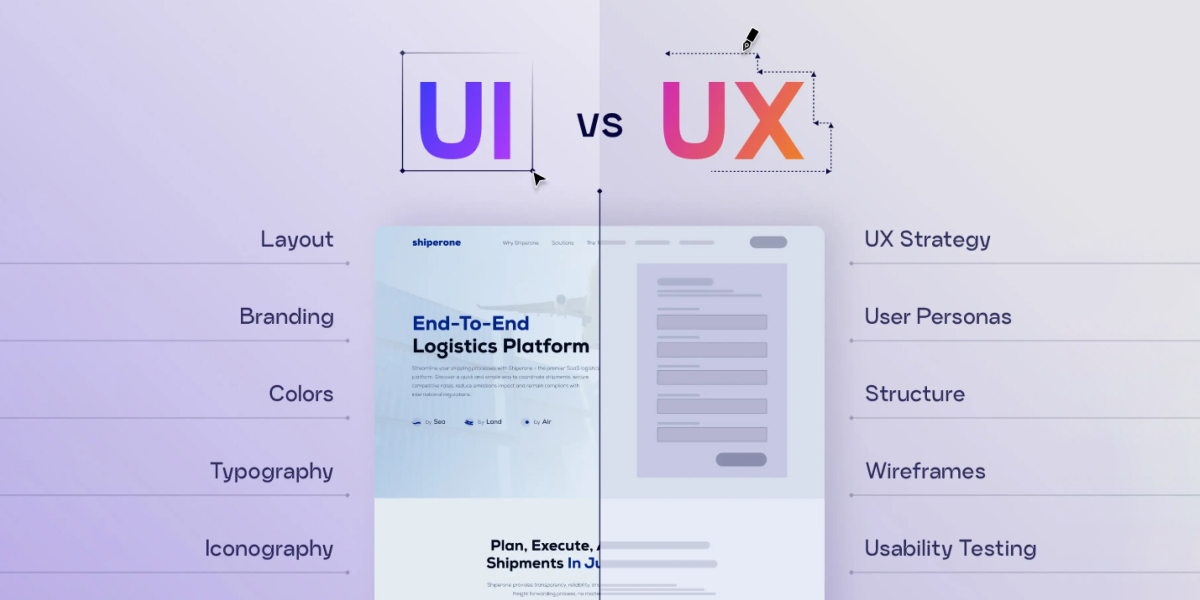
Core UX/UI Standards You Must Follow
These aren’t optional trends they’re fundamental requirements that determine whether your website functions effectively in 2026’s digital landscape:
- Mobile-first responsive design ensures flawless functionality across devices, with over 65% of Calgary web traffic now coming from mobile devices. Your site must load quickly and remain fully functional on smartphones, not just “work okay” with tiny buttons and awkward navigation.
- Page speed optimization directly impacts both user experience and search rankings, with Google’s Core Web Vitals now measuring loading performance, interactivity, and visual stability. Sites loading in under 2 seconds convert significantly better than those taking 5+ seconds.
- Accessibility compliance makes your site usable for people with disabilities while improving overall user experience through clear navigation, readable typography, proper color contrast, and semantic HTML structure that screen readers interpret correctly.
- Intuitive navigation architecture helps visitors find information quickly without confusion, using clear labels, logical grouping, visible calls-to-action, and breadcrumb trails showing their location within site structure.
- Clear visual hierarchy guides attention through strategic use of size, color, spacing, and positioning, ensuring visitors immediately understand what’s most important on each page and what actions you want them to take.
Emerging Design Trends Shaping User Expectations
Beyond fundamental standards, several design trends are influencing how Calgary businesses present themselves online in 2026:
- Minimalist interfaces with bold typography reduce visual clutter while making powerful statements through oversized headings, generous whitespace, and strategic use of color that directs attention without overwhelming visitors.
- Dark mode options appeal to users who prefer reduced eye strain and modern aesthetics, though implementation requires careful attention to contrast ratios and readability across both light and dark themes.
- Micro-interactions and subtle animations provide visual feedback for user actions buttons that respond to hover states, smooth transitions between pages, progress indicators for multi-step forms making interfaces feel responsive and alive.
- AI-powered personalization adapts content and recommendations based on visitor behavior, location, or preferences, creating more relevant experiences that increase engagement and conversion rates for businesses with sufficient traffic volume.
- Video backgrounds and interactive media capture attention immediately when executed properly, though they risk slowing page load times or distracting from primary messages if implemented poorly.
- Asymmetric layouts and experimental typography break traditional grid structures for memorable visual impact, particularly effective for creative industries though potentially problematic for conservative professional services.
The critical question isn’t whether these trends look impressive, it’s whether they serve your specific audience and business goals. A law firm’s audience expects a different visual language than a creative agency’s prospects. Your website should reflect your brand personality while meeting your audience’s expectations and needs.
For comprehensive exploration of current design trends, UX/UI best practices, and specific implementation considerations for Calgary businesses, see our detailed guide: Modern Website Design Trends & UX/UI Standards in Calgary (2026).

Essential Website Services and Features Your Business Needs
Understanding which services and features actually matter helps you avoid paying for impressive-sounding capabilities you’ll never use while ensuring you don’t launch without essential functionality.
Core Services vs. Optional Add-ons
Every professional website requires certain foundational services regardless of industry or business model. These include mobile-responsive design that adapts flawlessly across devices, SSL certificate encryption for security and trust signals, basic SEO implementation covering metadata and site structure, contact forms or conversion mechanisms appropriate for your business, content management system allowing non-technical updates, and professional hosting with adequate speed and reliability.
Beyond these essentials, additional services deliver value for specific business models but aren’t universally necessary. E-commerce functionality matters enormously if you sell products online but adds unnecessary complexity for pure service businesses. Professional copywriting dramatically improves results if you lack strong writing capabilities internally but wastes budget if you already have excellent content. Advanced analytics and conversion tracking provide crucial insights for businesses actively optimizing digital marketing but overwhelm companies just establishing initial presence.
The distinction between core services and optional enhancements isn’t about quality, it’s about timing and relevance. Many “optional” services become essential as your business grows and your website’s strategic role expands. Starting with solid foundations and adding capabilities based on performance data makes more sense than building everything upfront based on assumptions.
Ongoing Maintenance and Support
Websites require continuous attention to remain secure, fast, and functional. Ignoring maintenance creates security vulnerabilities, performance degradation, and eventually catastrophic failures requiring emergency fixes at premium rates.
Essential maintenance includes software and plugin updates addressing security vulnerabilities and adding functionality, security monitoring and malware scanning preventing or catching breaches quickly, backup management ensuring you can recover from disasters, broken link identification and repairs maintaining user experience and SEO value, and performance optimization as content grows and traffic patterns change.
Most Calgary providers offer maintenance packages ranging from $50 to $500 monthly depending on site complexity, update frequency, and support responsiveness included. This investment protects your initial development investment and prevents small problems from becoming expensive emergencies.
Some businesses handle basic maintenance internally while contracting professionals for complex technical issues. Others prefer comprehensive management agreements eliminating all technical responsibilities. Choosing the approach matching your team’s capabilities and bandwidth maintaining websites takes more time and expertise than most business owners anticipate.
For a detailed breakdown of specific services, what’s included at different investment levels, and how to evaluate service proposals, explore our comprehensive resource: Calgary Web Design Services: What’s Included & What You Need.
Local SEO and Website Optimization for Calgary Businesses
Building a beautiful website means nothing if your target customers never find it. Local SEO ensures your business appears when Calgary residents search for your products or services, driving qualified traffic that converts into customers.
Why Local Search Matters
Over 80% of consumers research online before visiting local businesses or making purchase decisions. When someone searches “accountant near me” or “Calgary plumbing services,” appearing prominently in those results directly impacts your revenue. Businesses invisible in local search results miss opportunities that flow to competitors who invested in proper optimization.
Local search optimization differs significantly from general SEO. You’re not competing nationally, you’re targeting specific geographic audiences with local intent. This focused approach means small businesses can compete effectively against larger competitors through strategic local optimization rather than massive content marketing budgets.
Google Business Profile and Local Citations
Your Google Business Profile represents the single most important local SEO asset. This free listing controls how you appear in Google Maps and local search results, displays your business information prominently, collects and showcases customer reviews, and provides insights about how customers find and interact with your business.
Optimizing your profile requires complete, accurate information including precise business category selection, comprehensive service descriptions, regular posting of updates and offers, high-quality photos showing your location and work, and active review management encouraging satisfied customers to share experiences.
Local citations mentions of your business name, address, and phone number across directories, review sites, and local business listings reinforce your local presence. Consistency matters enormously. Inconsistent information across listings confuses search engines and weakens your local authority.
Technical SEO Essentials
Technical optimization ensures search engines can effectively crawl, understand, and index your website. This includes implementing structured data markup helping search engines understand your content, optimizing page titles and meta descriptions for local search terms, creating location-specific content and landing pages, ensuring mobile-friendliness and fast loading speeds, and building local backlinks from Calgary organizations and businesses.
For comprehensive guidance on local SEO strategies, technical implementation details, and ongoing optimization approaches specifically for Calgary businesses, see our detailed guide: Local SEO & Website Optimization for Calgary Businesses.

How to Choose the Right Website Designer or Agency in Calgary
Your choice of designer or agency dramatically impacts both project experience and final results. The cheapest option often becomes the most expensive through missed deadlines, poor quality, and eventual complete redesigns. The most expensive doesn’t guarantee the best fit for your needs. Smart selection requires evaluating multiple factors beyond portfolio appeal and quoted price.
Freelancer, Boutique Agency, or Full-Service Firm?
Freelance designers offer direct communication, lower costs reflecting minimal overhead, and personal investment in your success. They excel for straightforward projects, template customizations, and situations where personal attention matters more than team resources. Limitations include capacity constraints for large projects, no backup if they’re unavailable, and potentially narrower skill sets not covering all specialties.
Boutique agencies bring diverse team expertise, structured processes and professional project management, and better capacity for moderate complexity. They suit businesses ready for professional custom design with reliability and depth beyond individual freelancers. Expect higher costs reflecting team overhead and more formal processes that feel less personal than working directly with individual designers.
Full-service firms offer comprehensive digital services beyond web design, SEO, content marketing, paid advertising, social media management, brand strategy. This integrated approach makes sense when your website is part of larger digital transformation or you lack internal resources coordinating multiple specialized vendors. Investment levels start significantly higher, making them cost-prohibitive for small projects.
Critical Questions to Ask Before Hiring
These questions reveal whether providers truly fit your needs and working style:
Can you show examples of similar projects for businesses like mine? Generic portfolios prove design capability but not understanding of your industry’s specific challenges and audience expectations. Relevant experience dramatically reduces the learning curve and improves strategic recommendations.
What’s your typical project process and timeline? Vague answers suggest lack of established processes that lead to scope creep and missed deadlines. Detailed, realistic timelines indicate experience and professionalism.
How do you handle revisions and feedback? Understanding revision policies upfront prevents frustration. Are multiple revision rounds included? What happens if you need changes beyond initial agreement? How quickly do they respond to feedback?
What happens after launch? Post-launch support varies dramatically between providers. Some include several weeks of issue resolution. Others charge hourly immediately after go-live. Knowing expectations upfront prevents unpleasant surprises.
Who owns the website and all assets when the project completes? You should always have complete ownership and administrative access to your domain, hosting, code, and content. Providers wanting ongoing control create dependency that limits your future options.
Warning Signs and Red Flags to Avoid
Watch for these indicators of potential problems:
Unrealistic promises like “guaranteed #1 Google ranking” or “complete custom website in one week” signal either inexperience or dishonesty. Quality work requires proper time, and legitimate providers never guarantee specific search rankings.
Lack of portfolio or client references means gambling on unknown quality. Established providers happily share previous work and client contacts. Evasiveness about past projects raises serious concerns.
Poor communication during sales predicts worse communication during your project. If they’re slow responding, unclear in explanations, or dismissive of questions now, imagine what happens when issues arise mid-project.
Extremely low pricing compared to market rates often indicates offshoring, template mill approaches, or inexperience. You generally get what you pay for. Trying to save money upfront typically costs more through revisions, fixes, and eventual complete redesigns.
For comprehensive evaluation frameworks, detailed checklists, and specific questions to assess capabilities across different provider types, explore our complete resource: How to Choose the Right Website Designer or Agency in Calgary: Complete Checklist.
Common Website Design Mistakes and How to Avoid Them
Learning from others’ mistakes saves you time, money, and frustration. These errors appear repeatedly across website projects, and most are completely preventable through proper planning and realistic expectations.
Strategic Planning Errors
Building without clear measurable goals is the most common strategic mistake. “Get more customers” is too vague to inform design decisions. Specific goals like “generate 50 qualified leads monthly” or “achieve $25,000 in online sales quarterly” give your designer concrete targets that inform every feature, content, and user experience choice.
Copying competitors instead of differentiating represents another frequent error. Your competitors might be implementing terrible strategies. Even if they’re doing well, copying their approach means competing on their strengths rather than establishing your unique value. Understand what competitors do, then deliberately differentiate in ways your target audience values.
Prioritizing aesthetics over functionality creates websites that look impressive in screenshots but frustrate actual users. Beautiful design matters, but usability, clear navigation, fast loading speeds, and obvious calls-to-action deliver business results.
Technical Implementation Mistakes
Ignoring mobile users despite mobile traffic representing over 65% of web usage remains surprisingly common. Websites that look fine on desktop but offer poor mobile experiences lose more than half their potential customers immediately.
Choosing poor hosting to save $20 monthly creates slow loading speeds that hurt both user experience and search rankings. Quality managed hosting costs $30-100 monthly but delivers dramatically better performance, security, and reliability.
Neglecting SEO during initial development means building visibility debt you’ll struggle to overcome later. Basic SEO implementation during development proper site structure, metadata, mobile optimization, loading speed costs far less than trying to retrofit optimization after launch.
Skipping proper testing before launch guarantees customers will discover embarrassing bugs, broken forms, or functionality failures that damage credibility and cost sales.
Content and Conversion Problems
Weak or missing calls-to-action leave visitors unsure what to do next. Every page should guide visitors toward specific actions appropriate for their stage in the buying journey. Make your desired actions obvious and easy.
Generic copy that could describe any business in your industry fails to differentiate or persuade. Your content should reflect your specific value proposition, address your audience’s particular concerns, and give concrete reasons why prospects should choose you over alternatives.
Launching without content means paying for design and development but missing the substance that actually converts visitors. Content isn’t something you add “eventually” it’s the core of your website’s value.
Ignoring analytics and user behavior after launch wastes opportunities for continuous improvement. Your initial assumptions about what works will be partially wrong. Analytics reveal what’s actually happening so you can optimize based on data rather than opinions.
Measuring Success: Post-Launch Optimization and Growth
Launching your website isn’t the finish line, it’s the starting point for continuous improvement based on real user behavior and business results.
Key Performance Indicators to Track
Different business models require different success metrics. Lead generation businesses should track form submissions and conversion rates, traffic sources driving the most qualified leads, pages generating the most conversions, and cost per lead if running paid advertising.
E-commerce sites need to monitor total revenue and average order value, conversion rate from visitor to customer, cart abandonment rate and recovery opportunities, product page performance and bestsellers, and customer acquisition cost across channels.
All businesses benefit from tracking overall traffic volume and trends, bounce rate indicating content relevance, time on page showing engagement, mobile versus desktop usage patterns, and page loading speed affecting both user experience and SEO.
Set up conversion tracking for your specific business goals from day one. Without proper measurement, you’re making decisions based on assumptions rather than evidence.
When to Update or Redesign Your Website
Minor updates should happen continuously as you learn what works, add new services or products, and refresh content to maintain relevance. Plan for regular content updates, seasonal promotions or offers, and minor feature enhancements based on user feedback.
Major redesigns become necessary every 3-5 years as design trends evolve, technology capabilities expand, and your business changes significantly. Earlier redesigns make sense when your current site actively hurts business through poor mobile experience, when technical limitations prevent necessary functionality, when rebranding requires updated visual identity, or when analytics show serious usability problems causing high bounce rates.
Avoid redesigning based purely on aesthetics or boredom with your current look. Functional, effective websites generating business results don’t need replacement just because design trends have evolved. Focus on continuous improvement rather than dramatic periodic overhauls that disrupt business operations and risk breaking what’s already working.
Ready to Build Your Calgary Website? Partner with Chameleon Ideas
You now understand the key decisions facing Calgary businesses investing in professional websites. You know what drives costs, which platforms suit different business models, what design trends actually improve results, and how to evaluate designers without getting misled by empty promises.
The gap between impressive-looking websites and sites that actually deliver business results comes down to strategic thinking, technical expertise, and understanding your specific industry’s challenges. Template mills churn out generic sites. Talented designers create custom solutions that differentiate your business and convert visitors into customers.
Your next steps should include clarifying your specific business goals and how your website supports them, establishing a realistic budget accounting for both initial investment and ongoing costs, gathering content assets and information you’ll need during development, and evaluating potential designers based on relevant experience and working style fit.
At Chameleon Ideas, we believe in transparent conversations about what your business actually needs versus what sounds impressive in proposals. Whether you’re launching your first website, replacing an outdated design that’s hurting business, or scaling an e-commerce operation, we’ll walk you through exactly which services and approaches deliver measurable ROI for your specific situation.
We don’t believe in one-size-fits-all solutions or charging for features you’ll never use. Our process starts with understanding your business, your audience, and your goals then creating strategic solutions that work within your budget and timeline constraints.
Let’s discuss your specific website needs:
- Email: info@chameleon-ideas.com
- Phone: +1 519-983-0787
Ready to build a website that actually delivers business results for your Calgary company? Contact us for a detailed consultation where we’ll discuss your specific requirements, answer your questions, and provide clear recommendations without sales pressure or confusing technical jargon.